setlog guide
how to use setlog
How to use setlog is best understood as a simple daily moment flow. This setlog guide explains the first things to understand: notifications, camera permission, short recording behavior, friends context, and when to move from learning the app to checking download or support pages.
Direct Answer
The short answer
To use Setlog, start with the moment-based flow: keep notifications available, allow camera access, react to a short prompt, record a quick scene, and review the result as part of a daily log. The main point of this setlog guide is to explain the basic flow before users jump into download questions or device support.
Basics
Start with how to use setlog
How to use setlog should not begin with every possible setting. A beginner needs to understand what the app is trying to do, why a notification matters, why camera permission matters, and why short moments are different from a normal edited video. This keeps the learn page focused on usage, while store availability and device issues stay on separate pages.
Understand the daily flow
How to use setlog starts with the daily flow, not with a long feature list. Setlog is closer to a short daily log experience than a heavy video editing tool. A user receives a moment, opens the camera, records a short scene, and later reads that moment as part of the day.
Know what the notification does
A notification is not just an alert. In how to use setlog, the notification is the signal that starts the recording moment. If notifications are blocked, delayed, or hidden by device settings, the basic use flow can feel broken even when the app itself opens normally.
Check camera permissions first
The camera permission matters because short moments depend on quick capture. Before trying to learn every button, confirm that the app can open the camera and save a scene. How to use setlog becomes much easier when the permission layer is already clear.
Read the friends context
Setlog is often understood through friends, shared moments, and light vlog-style context. The point is not to produce a perfect video. The point is to react to a small moment, keep it simple, and understand how those short scenes make a daily rhythm.
How It Works
How to use setlog in a simple order
The easiest way to learn the app is to follow the actual order of use. First, the user needs to be able to receive the moment. Next, the app needs enough permission to open the camera. Then the user can make a short reaction instead of planning a polished video. After that, the recorded scene can be read as part of the day.
How to use setlog uses that order because it matches the user experience. It also reduces confusion between learning and device support. If a user simply wants to understand how to use setlog, this page is the right place. If the camera, notification, or device settings do not work after setup, the user should move to a focused support page.
1. Start from the moment
Do not treat the app like a traditional video project. The first step is noticing the moment and responding quickly. That is why how to use setlog should be explained through timing and reaction.
2. Confirm notification and camera access
If notification access or camera access is off, the flow may stop before the user understands the app. How to use setlog keeps those checks early because they affect the first experience.
3. Keep the recording short
The recording idea is short by design. A user should think of quick daily scenes rather than a full edited vlog. This keeps the setlog guide focused on use, not production.
4. Separate use questions from settings support
If the question is about learning the flow, stay on this page. If notifications or device settings do not work after setup, move to a focused settings page.
Before You Start
What to check before using Setlog
A good beginner guide to how to use setlog should make the first session feel less abstract. Before learning every screen, ask three practical questions. Can the app notify the user at the right moment? Can the camera open without another permission barrier? Can the user understand that a short scene is enough? These questions make the product easier to understand.
The next check is context. Setlog makes more sense when the user sees it as a short daily moment app with friends, not as a full video editor. A normal vlog often depends on planning, scene selection, and editing time. Setlog is lighter: it depends on reacting to a moment and letting several short scenes form the feeling of a day.
The final check is intent. If the question is how to use setlog, the user should stay on a learn page. If the question is where to get the app, the download page is cleaner. If the question is why notifications or camera access are not working, a support page is more useful. This separation keeps how to use setlog focused and keeps download or troubleshooting terms from taking over the page.
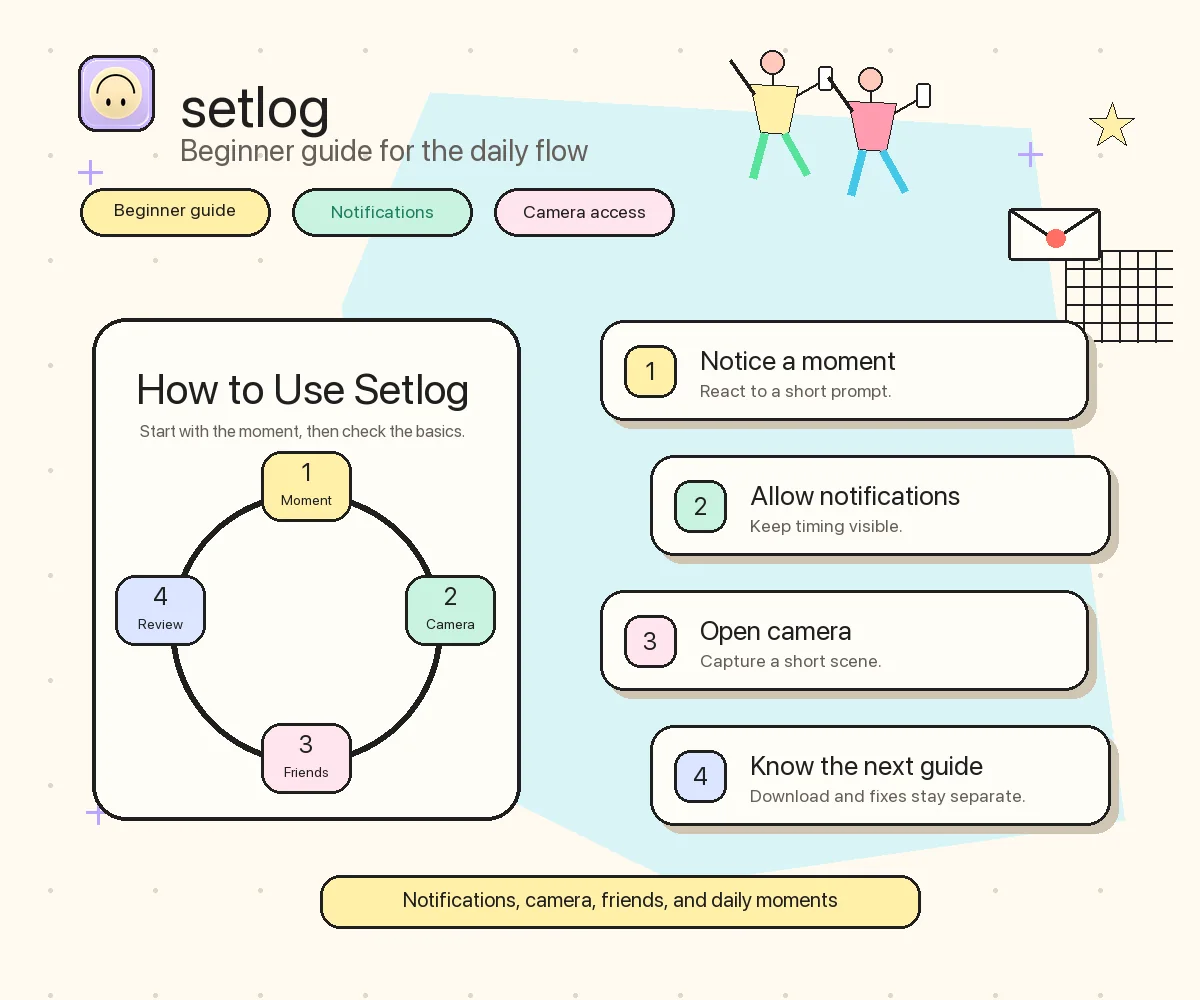
How to use setlog can also be read as a simple sequence. First, keep notifications available. Second, allow the camera to open quickly. Third, record a short scene when the moment appears. Fourth, review that scene as part of the day with the right friends context. When explained this way, how to use setlog becomes a clear habit instead of a long settings manual, and how to use setlog stays separate from store or device support questions.
FAQ
Beginner setlog guide questions
These questions keep how to use setlog focused on basic use. Download, APK, Galaxy, and notification problems are linked only as next steps, not treated as the main topic of this page.
How do I use setlog for the first time?
Start by understanding the basic flow: receive or notice a moment, make sure notifications and camera permissions are allowed, record a short scene, and review the result as part of a daily log. How to use setlog is mostly about timing, permissions, and short reactions.
What is the best setlog guide for beginners?
A beginner setlog guide should explain the recording flow before advanced settings. New users should first understand notifications, camera access, short daily moments, and friends context before looking for download or device support pages.
Why are notifications important when learning setlog?
Notifications help create the timing for a short moment. If notifications are off, hidden, delayed, or blocked by device settings, the user may miss the recording moment and think the app flow is unclear.
Where should I go if setlog notifications do not work?
Use a focused settings page instead of this learn page. This page explains how to use setlog, while notification issues, permission problems, and device-specific settings belong on support pages.
Next Path
Keep learn, download, and support separate
This page explains how to use setlog and how the basic flow works. Use the download page when the goal is store availability or Android and iPhone install paths. Use a support page when notification, permission, or device behavior gets in the way after the first setup.