
Android storage fix
What Is Log Size in Setlog?
Log Size in Setlog is a storage-related signal, not the meaning of the Setlog name. On Android, it may point to temporary files, cached media, diagnostic logs, thumbnails, local app files, or data grouped by the system. If the number looks large, the useful question is what you can check and clean without losing videos, login access, or unsynced app data.
Start with cache. Save important videos first. Do not clear data or storage until you understand what may be removed.
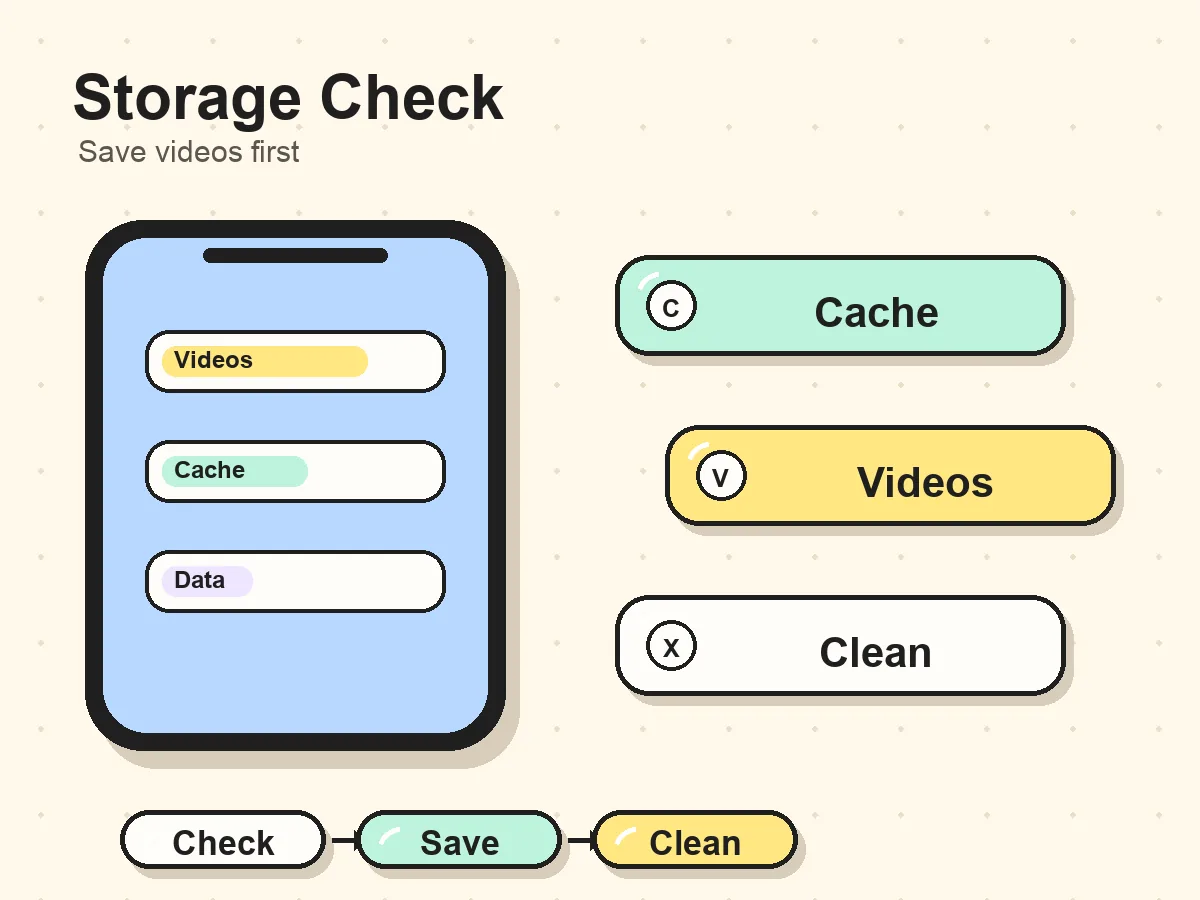
Problem match
You are probably here because storage looks risky
Searches like Setlog log size meaning or Setlog app log size meaning usually come from the same moment: Android shows a storage number, and the user wants to know what it means before deleting anything. This page treats Log Size as a cleanup decision, not as a dictionary term.
Log Size appears while phone storage is low
Android may warn you about Log Size when Setlog or other apps are using enough space to affect updates, camera use, downloads, or normal phone performance.
Setlog Log Size looks large
The storage screen may show a large Log Size for Setlog after frequent recording, previewing, loading media, or keeping local app files.
You see Log Size or Data Size
The label can appear in an Android storage context. The real question is not the word meaning, but what can be cleaned without losing content.
Android and iPhone show storage differently
This guide is mainly for Android because Android settings often separate cache, data, storage, and app size in ways that make Log Size confusing. iPhone users usually see app size and documents/data through iOS storage instead, so the labels and cleanup options may not match the Android steps exactly.
The safe principle is the same on both platforms: confirm account access, save important videos, and avoid removing app data if you do not know whether the content is synced or only stored locally.
Decide what kind of storage problem you have
If Setlog opens normally and videos are visible, start with a lower-risk cache cleanup. If Setlog crashes, storage is full, or videos are not visible, slow down: you need to confirm whether the problem is temporary cache, local media, account access, or app data before using stronger cleanup actions.
A large Log Size number alone does not prove that something is broken. The risk comes from deleting the wrong storage bucket. That is why the check order matters more than the label.
Safe check order
Follow these steps before clearing Setlog storage
Use this order if Setlog is taking too much space or Log Size looks unusually large. The goal is to protect important videos before changing Android storage settings.
Check Log Size, then open Setlog first
Check that the app opens, your account is reachable, and the room or profile where your videos appear still loads normally.
Check important videos before changing Log Size
Before changing Android storage settings, confirm that the daily vlogs, clips, drafts, or saved moments you care about are visible.
Save videos before Log Size cleanup
If a video matters, save or export it first when Setlog gives you that option. Treat this as the backup step before any storage cleanup.
How to save Setlog videosClear cache first when reducing Log Size
Use the least risky cleanup path first. Cache usually means temporary files, so it is safer than clearing app data or storage.
Reopen Setlog and recheck Log Size
After clearing cache, reopen Setlog and check whether storage, loading, preview, or crash behavior improved before taking a stronger action.
Avoid Clear data for Log Size unless sure
Clear data or Clear storage can reduce Log Size but may reset login state, settings, local files, or unsynced content. Do not use it until you understand the risk.
What Log Size may include
The label is usually a storage clue. Android may group temporary app files, cached media, logs, and local app data in ways that are not obvious from the label alone.
The label does not always tell you whether the space is cache, local app data, or content you care about. Treat it as a storage signal, not a deletion instruction.
Clear cache vs clear data vs uninstall
After you have checked important videos, choose the least risky cleanup option first. On Android, cache and app data can have very different effects.
Lower risk
Clear cache
Usually removes temporary files. Try this before clearing data when Setlog is taking too much space.
Higher risk
Clear data / storage
May reset login state, settings, local files, or unsynced app data. Use only after checking important content.
Highest risk
Uninstall Setlog
Treat uninstalling as a last step unless your account, saved videos, and sync state are already confirmed.
Will clearing Log Size delete my videos?
It depends on what Android is counting and where your Setlog videos are stored. Cached files are different from app data, and synced content is different from local-only files. If you cannot confirm whether a video is saved or synced, do not clear data or storage yet.
If the video matters, save it first, then start with cache. Clearing cache is usually safer than clearing data, but you should still check the videos you care about before making storage changes.
How to save Setlog videosDo not clear Setlog data if...
- You cannot open Setlog to confirm your account.
- Important videos are not saved or exported.
- Android shows a large Data Size, not just cache.
- You do not know whether the content is local or synced.
- You are not sure how to sign back in.
Related help
If you were looking for a different Setlog topic
This page is for Android storage and Log Size. If your question is about the name, saving videos, downloads, or basic use, use the matching guide instead.
Setlog meaning
Use this if your question is about the Setlog name, not Android storage.
Open guideHow to save Setlog videos
Use this before clearing storage if a daily vlog or clip matters.
Open guideSetlog download
Use this to check store paths, app source, and platform availability.
Open guideBeginner Setlog guide
Use this for basic app flow, permissions, and learning context.
Open guideFAQ
Log Size in Setlog questions
What is Log Size in Setlog?
Log Size in Setlog is best read as an Android storage-related signal. It may refer to temporary files, cached media, diagnostic logs, thumbnails, or app data around Setlog. It is not the meaning of the Setlog name.
Why is Setlog taking so much space on Android?
Setlog is connected with short video and daily vlog use, so frequent recording, previewing, and app activity may increase local storage. Android may count cache, app files, and data differently depending on the device.
Does Log Size include my Setlog videos?
It depends on what Android is counting and where the videos are stored. Cached files, local files, synced content, and app data are not always separated clearly on the storage screen.
Should I save videos before clearing Setlog cache?
Yes, if the videos matter. Confirm that important daily vlogs are saved, exported, or still available in your account before changing Android storage settings.
Can I clear Setlog cache safely?
Clearing cache is usually the first and lower-risk cleanup step because cache normally means temporary files. Still, check important videos and account access before changing storage settings.
What happens if I clear Setlog data?
Clear data or Clear storage can remove more than temporary cache. It may reset login state, settings, local files, or unsynced app data, so do not use it unless you understand what may be removed.
Should I uninstall Setlog to reduce Log Size?
Uninstalling is a last step. Before uninstalling, confirm account access, save important videos, and try clearing cache first.